

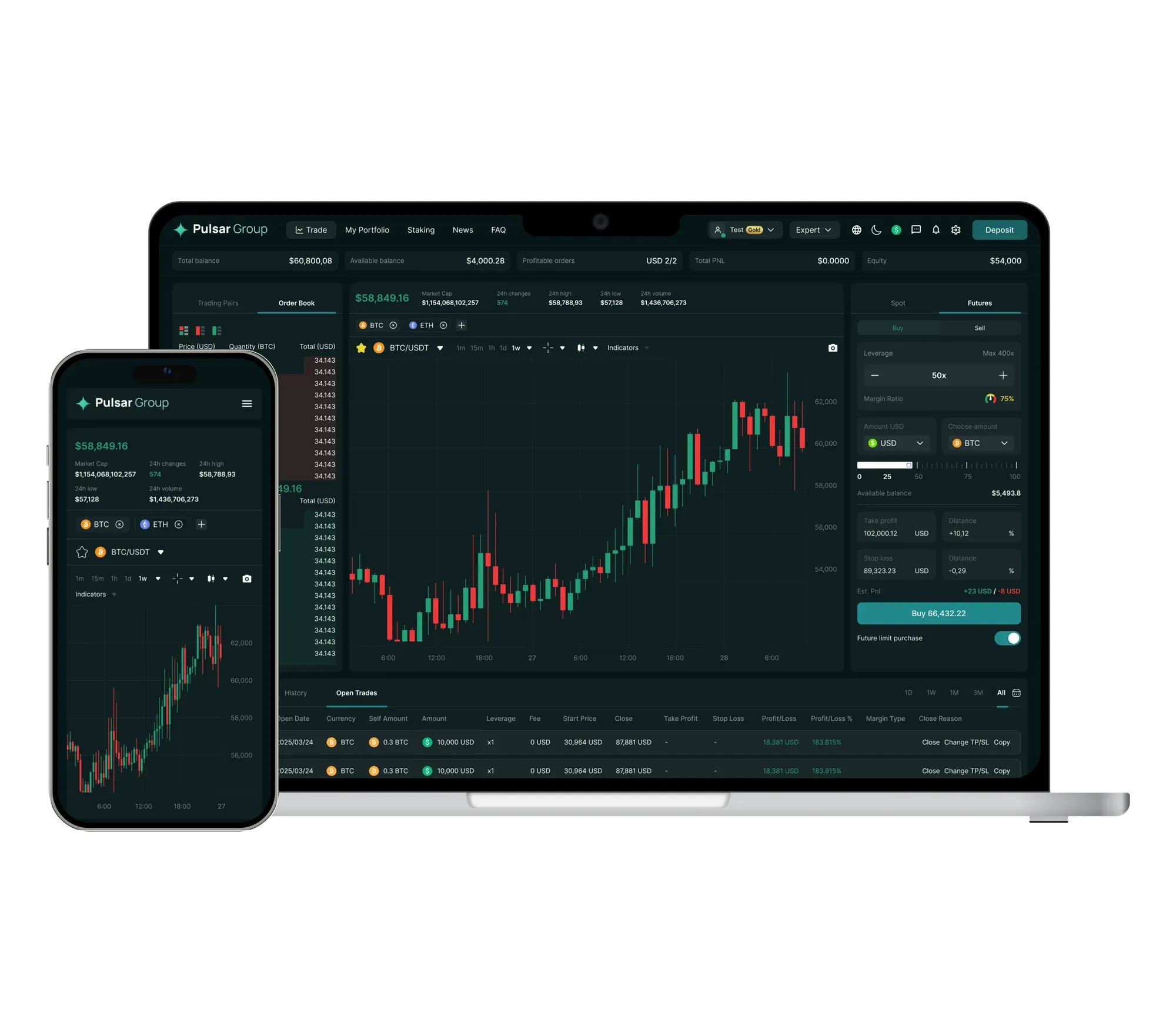
Your entire position, seen from one terminal
The book, the chart, the ticket and the state of your margin share one screen, so a trade needs nothing else.
Your entire position, seen from one terminal
The book, the chart, the ticket and the state of your margin share one screen, so a trade needs nothing else.
-
Recent trades beside the order book
Check the depth behind a price before you take it, and watch each fill the moment it lands.
-
Charts from 1 minute up to 12 hours
Fed by the data the order book quotes: candlesticks, indicators, full screen.
-
A live ratio on cross margin
A single balance supports all your open positions, and the margin meter shifts with the market.
-
Stop and target set on the ticket
Before confirming, enter a stop loss and a take profit as a price or as a percentage away.
Study a market before you trade it
The chart from the terminal, over three time ranges.
Fetching the chart
No answer for the chart data yet. We will try again in a minute.
The way from a new account to your first trade
Just four steps, and choosing what to buy usually takes the longest.
- 1
Create the account
All it takes is an email and a password. You verify before your first withdrawal, not before you can look around.
- 2
Fund it
The app shows any fee before you confirm. Pay in by card, by bank transfer or with crypto from a wallet elsewhere.
- 3
Choose a market
Find a pair by search or browse the markets list. Each one is priced in the currency you picked.
- 4
Send the order
Set leverage, a stop and a target right on the ticket, then trade spot or futures.
Open an account and explore
You only need an email. Verification waits until your first withdrawal.